
LIS I/O
LIS I/O extends the import and export capabilities of SAGA GIS with formats commonly used in point cloud, GIS and 3D processing workflows. It supports the exchange of point cloud and vector data with external software environments and includes tools for preparing files for virtual point cloud datasets. Typical applications include importing survey or LiDAR data into LIS Pro 3D, exporting processed results for use in GIS, CAD or other point cloud software, converting datasets between operational formats (LAS/LAZ, RDBX), and preparing large tiled datasets for catalogue-based processing.
Tool: Create LAS/LAZ Index
| Features |
|---|
| • create a spatial index for LAS or LAZ files to speed up spatial queries |
| Applications |
|---|
| • spatial indexing of LAS/LAZ files |
Tool: Export LAS/LAZ File
| Features |
|---|
| • export of SAGA point clouds to ASPRS LAS file format |
| • support of compression to LAZ format |
| Applications |
|---|
| • point cloud data interchange file format |
| • file compression |
Tool: Export Lines to DXF File
| Features |
|---|
| • export of line and polygon shapes layers to DXF file format |
| • support of 2D and 3D geometries |
| Applications |
|---|
| • vector data interchange file format |
| • data interchange with CAD software |
Tool: Export Point Cloud to Textfile
| Features |
|---|
| • export of SAGA point clouds to ACII file format |
| • definition of floating point precision per column |
| • optional header; support of various field separators (tabulator, space or comma) |
| Applications |
|---|
| • point cloud data interchange file format |
Tool: Export Shapes to OBJ
| Features |
|---|
| • export 3D polygonal shapes layers to OBJ file format |
| • models can be textured |
| Applications |
|---|
| • data interchange with other (CAD) software |
Tool: Export RDBX Files
| Features |
|---|
| • export of SAGA point clouds to Riegl's RDBX file format |
| • attribute selection |
| Applications |
|---|
| • point cloud data interchange with Riegl Software |
Tool: Export TIN to DXF File
| Features |
|---|
| • export of 3D TIN shapes layers to DXF file format |
| Applications |
|---|
| • vector data interchange file format |
| • data interchange with CAD software |
Tool: Export TIN to REB File
| Features |
|---|
| • export of 3D TIN shapes layers to REB (22.013) file format |
| Applications |
|---|
| • vector data interchange file format |
| • data interchange with CAD software |
Tool: Import LAS/LAZ Files
| Features |
|---|
| • import of files in the ASPRS LAS file format |
| • support of LAZ file format |
| • on-the-fly point cloud thinning |
| Applications |
|---|
| • point cloud data interchange file format |
| • point cloud thinning/decimation |
Tool: Import OBJ File
| Features |
|---|
| • import 3D models in OBJ file format |
| • merging of triangles to polygonal faces based on an angular merge tolerance |
| • optional creation if an unwrapped representation of the model storing 2D texture coordinates |
| Applications |
|---|
| • 3D vector data interchange file format |
Tool: Import Point Cloud from Text File
| Features |
|---|
| • import of files in ASCII file format |
| • columns in the input file can be in any order |
| • header can be skipped; support of various field separators (tabulator, space or comma) |
| Applications |
|---|
| • point cloud data interchange file format |
Tool: Import RDBX Files
| Features |
|---|
| • import of files in Riegl's RDBX file format |
| • attribute selection |
| • transformation |
| • creation of a point shapes layer with scanner positions (optional) |
| Applications |
|---|
| • point cloud data interchange with Riegl Software |
Tool: Import RXP Files
| Features |
|---|
| • import of files in Riegl's scanner point cloud *.rxp format |
| • attribute selection |
| Applications |
|---|
| • raw point cloud data interchange file format of Riegl scanners |
Tool: Import and Retile RDBX Files
| Features |
|---|
| • import and retiling of files in Riegl's RDBX file format |
| • creation of a virtual point cloud dataset from the tiles |
| • attribute selection |
| • transformation |
| • point shapes layer of scanner positions (optional) |
| Applications |
|---|
| • point cloud data interchange with Riegl Software |
| • data preparation for automated processing |
Tool: LAS/LAZ Info
| Features |
|---|
| • print header information of ASPRS LAS files |
| • generation of additional information like attribute statistics |
| Applications |
|---|
| • get information on file content |
Tool: Matrices From RiSCAN PRO Project
| Features |
|---|
| • extract the POP and SOP matrices stored in a Riegl RiSCAN PRO project file |
| • compute and output the pose matrices, i.e. the combination of SOP and POP matrices |
| • print global coordinate system specified for the project |
| Applications |
|---|
| • extract transformation matrices of scan positions for coordinate transformations or custom RDBX file import |
Tool: RDBX Info
| Features |
|---|
| • print information on Riegl RDBX files |
| • output POP matrix as stored in the geotag |
| Applications |
|---|
| • get information on file content |
| • get POP matrix from file |
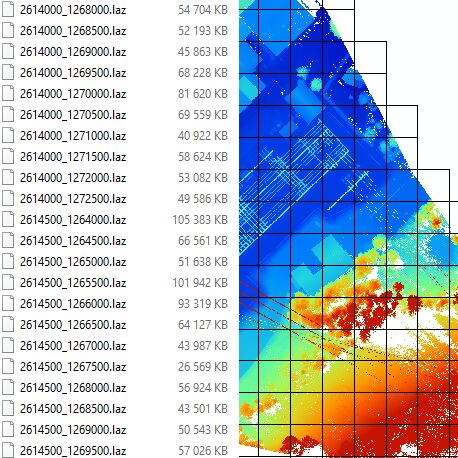
Tool: Retile LAS/LAZ Files
| Features |
|---|
| • split LAS/LAZ files spatially into several files of the desired tile size |
| Applications |
|---|
| • retiling of LAS/LAZ files for use in virtual LAS/LAZ point cloud datasets |
Tool: Spatial Sort of LAS/LAZ Files
| Features |
|---|
| • sorting the order of points in LAS/LAZ files spatially |
| Applications |
|---|
| • preparing LAS/LAZ files (with unfavorable point order) for spatial indexing |