Become Efficient - Automate your Processing
The Natural Next Step - Automation
As you explore LIS Pro 3D, you’ll start building workflows that are uniquely yours - combining tools in ways that fit your data, your projects, and your ideas. As these workflows grow, one question naturally follows: How can I run all of this in one go?
That’s where automation comes in.
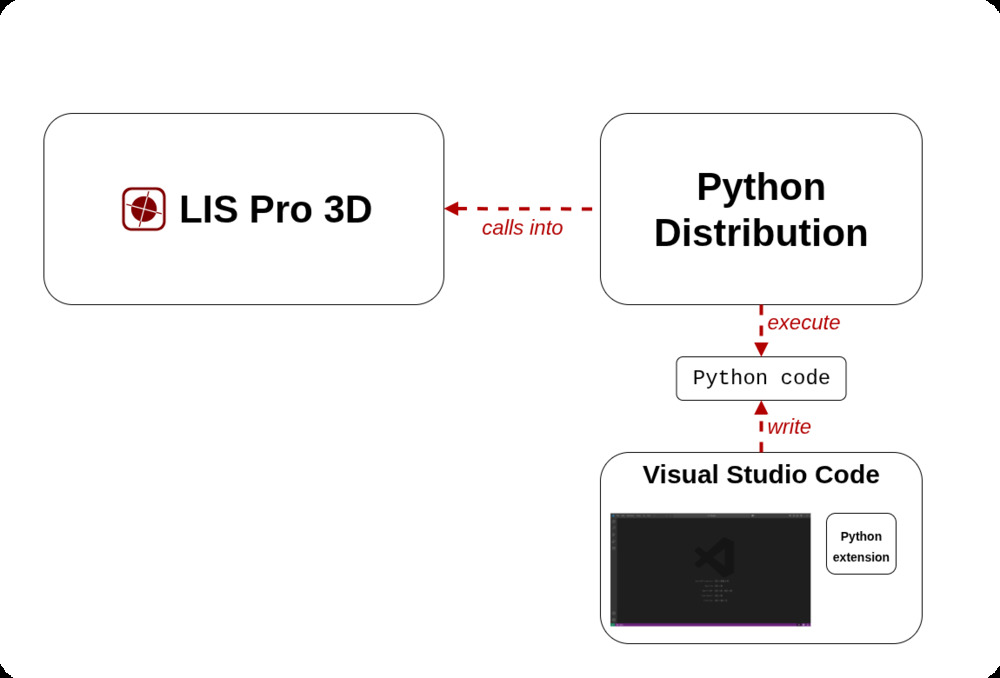
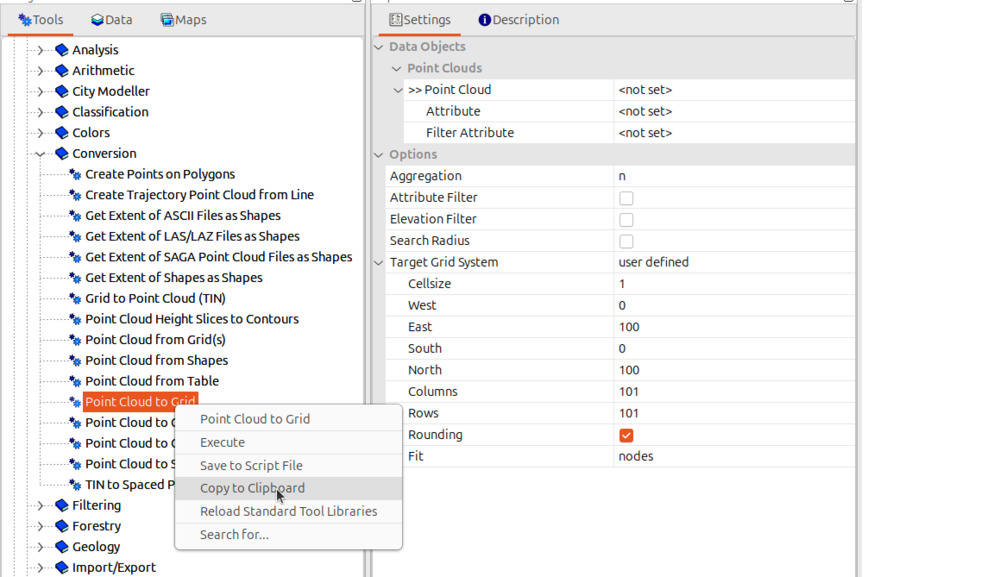
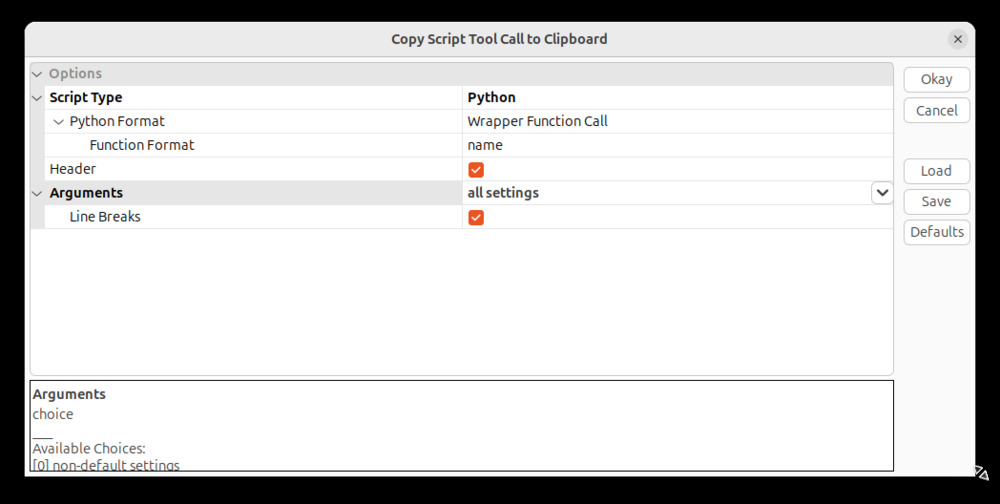
Automation in LIS Pro 3D is easier than you might expect. It’s powered by a Python API that welcomes both beginners and experts. If you’re new to Python, you don’t start from scratch - LIS Pro 3D allows you to export ready-to-use code snippets directly from the graphical interface. With a simple right-click, your interactive workflow becomes executable Python code.
For experienced users, this opens the door to fully automated pipelines: repeatable processing, batch runs, and scalable workflows - up to country-wide datasets. For newcomers, it’s a gentle, hands-on way to grow into scripting while staying productive from day one.

Tackle Your Challenges
When projects grow to regional or country-wide scale, processing everything as a single dataset is no longer practical. Memory limits and long runtimes quickly become real constraints.
This is where tiling comes into play. In our tutorials, you’ll learn how to split large datasets into manageable units and apply the same processing pipeline to each one - automatically and reliably. Set up your script once and let it run in the background, possibly overnight or for multiple days in a row. Check the output once processing has finished.
To ensure seamless outputs, you’ll also learn how to process smaller units with buffers, avoiding edge effects and ensuring consistent results across tile boundaries.
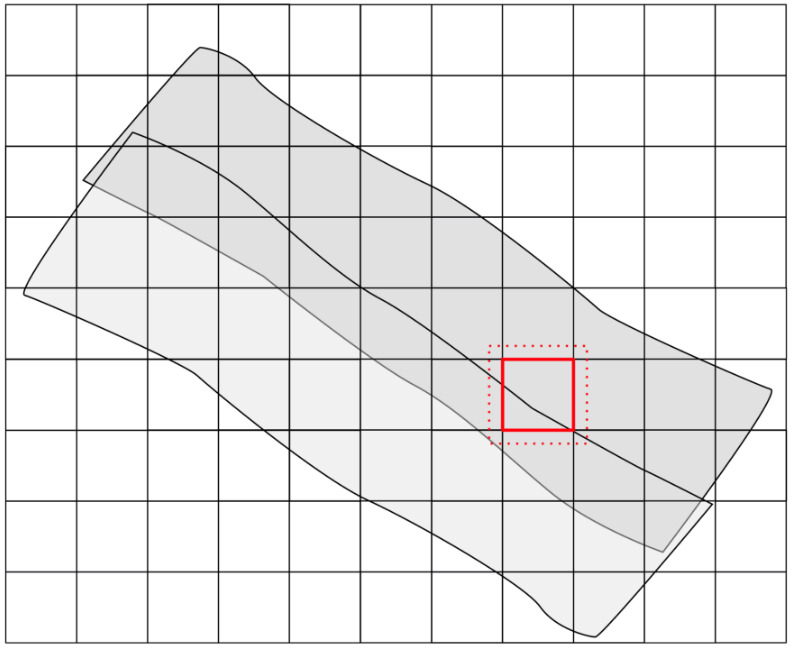
For maximum performance, LIS Pro 3D lets you fully utilize your hardware. By parallelizing tile-based processing, you can run dozens of processing units simultaneously - dramatically reducing overall run time. All of this is powered by the LIS Pro 3D Python API.
How It Works - Get Started with Python
To get started with LIS Pro 3D automation, we recommend using Visual Studio Code as your code editor and Miniforge as a Python package manager. With this setup, you can configure your environment in just a few minutes and run your first script.
Miniforge keeps your Python modules clean and compatible. This is especially helpful if you plan to combine LIS Pro 3D workflows with other Python tasks - like plotting graphs with Matplotlib, performing scientific computing with SciPy, or creating web maps with Folium.
To run LIS Pro 3D workflows, you only need pure Python - no additional modules required. You can start small and expand your environment as your projects grow.
Only One Click Away
You can generate your first code snippet with just one right-click on any tool you’ve used in the graphical interface. Copy it to your clipboard, paste it into your script, and you’re ready to go.
Start Learning Today
Explore the automation tutorial section and see how easy it is to convert your workflows into Python code.
- Request your free LIS Pro 3D trial here
- Get started with our tutorial on Automation with LIS Pro 3D