How to find and download point cloud data for our tutorials
In this tutorial, we will show you how you can download freely available point cloud and other data to follow our tutorials.
Data Source
Canton of Zurich
The Canton of Zurich offers point cloud data from several flight campaigns (currently 2014, 2017/18, 2021/22) via its geodata catalog. The data provided by the Amt für Raumentwicklung - Geoinformation of the Canton of Zurich is freely avaible and licensed under the Creative Commons (CC) BY 4.0 Licence. Therefore it is a perfect fit to be used for most of our tutorials.
Our own Terrestrial Laser Scans
The Forestry - TLS tutorial is an exception. For this tutorial we provide a terrestrial point cloud which we acquired ourselves.
Where to download the tutorial data
We have pre-compiled the datasets for each tutorial so you don’t have to spend time searching for them:
- Point cloud classification: https://cloud.laserdata.at/s/cMYBsKWnSnB7kHd
- Data source: Canton of Zurich, Amt für Raumentwicklung - Geoinformation
- License: CC-BY-4.0 Licence
- Automation with LIS Pro 3D: https://cloud.laserdata.at/s/SGtT3xcJ2ZS62b6
- Data source: Canton of Zurich, Amt für Raumentwicklung - Geoinformation
- License: CC-BY-4.0 Licence
- City Modelling with LIS Pro 3D: https://cloud.laserdata.at/s/TSfK6sGTtadsyyb
- Data source: Canton of Zurich, Amt für Raumentwicklung - Geoinformation
- License: CC-BY-4.0 Licence
- Forestry - ALS: https://cloud.laserdata.at/s/HCBriK2biMR2ZXK
- Data source: Canton of Zurich, Amt für Raumentwicklung - Geoinformation
- License: CC-BY-4.0 Licence
- Forestry - TLS: https://cloud.laserdata.at/s/JtrkWgRGkNqZWtB
- Data source: LASERDATA GmbH
- SAGA & LIS Pro 3D Quickstart: https://cloud.laserdata.at/s/oQqa9QfyoLe8Cne
- Data source: Canton of Zurich, Amt für Raumentwicklung - Geoinformation
- License: CC-BY-4.0 Licence
You can directly download all the datasets using the links provided above. Below, we explain how to navigate the geodata catalog of the Canton of Zurich to find and download individual LAZ tiles, in case you want to explore data from other areas.
Tile-wise Point Cloud Download
Please note that you can download all the necessary datasets to follow our tutorials using the above provided links. The description below simply describes the download process from the original data provider, the Canton of Zurich.
Since you likely only want to work with a subset of the entire Canton, we describe here how to download individual point cloud tiles. Visit https://geo.zh.ch/:
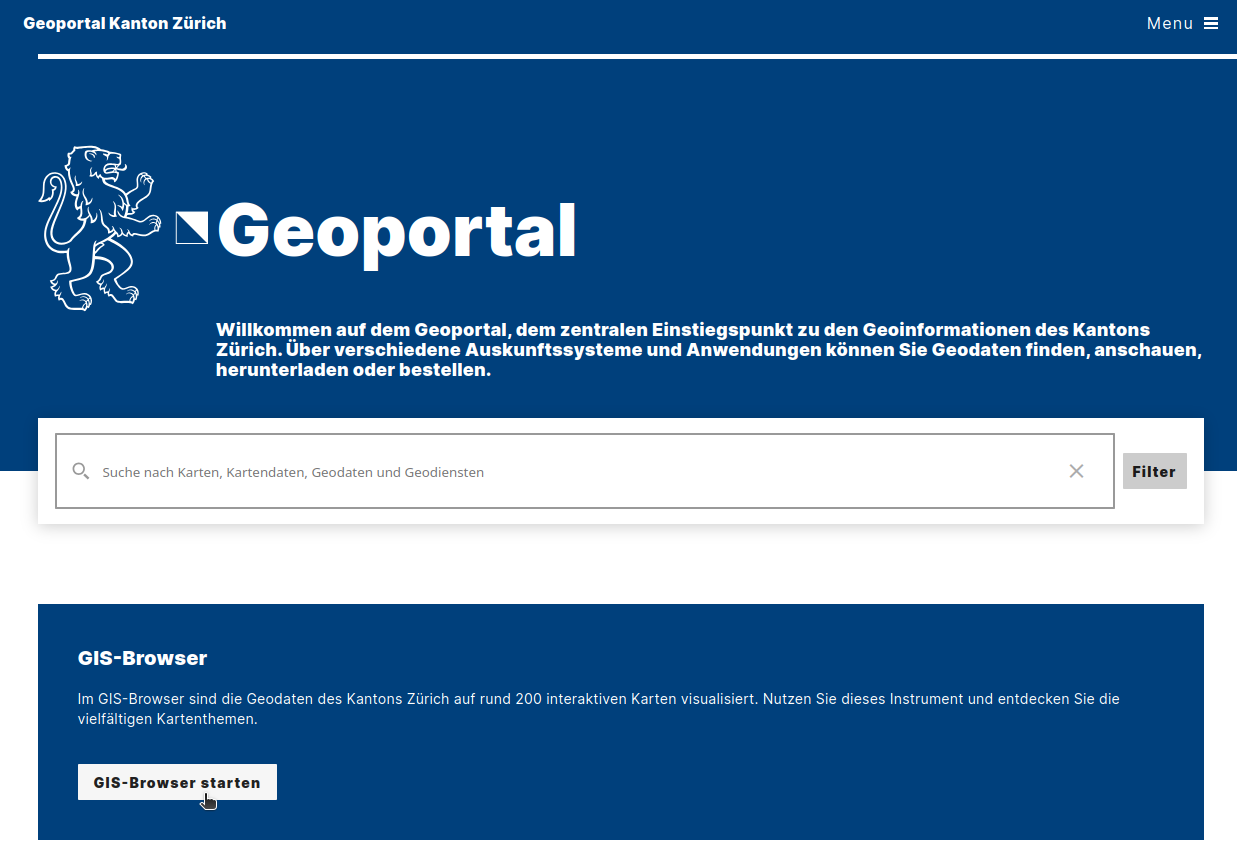
Now, click on “GIS-Browser starten”. This will open the map view as shown below:
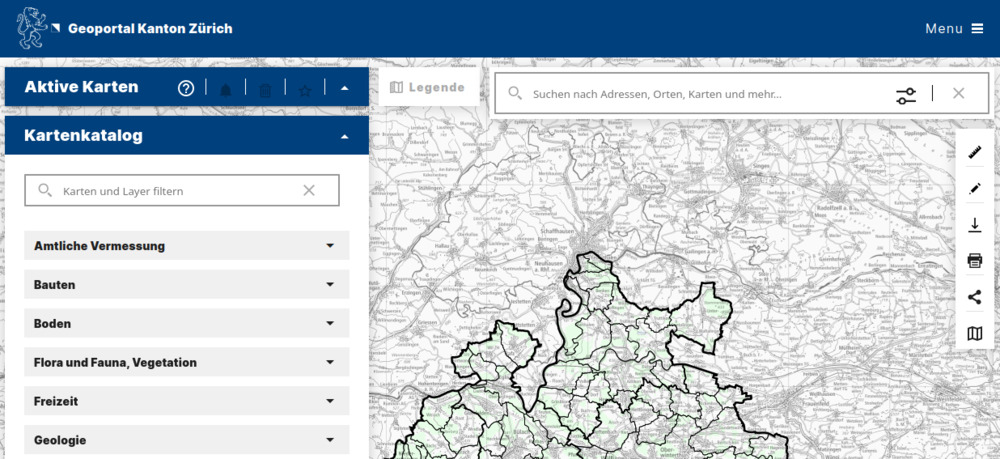
Now, in the search bar, type “lidar”. This should give you the following selection:
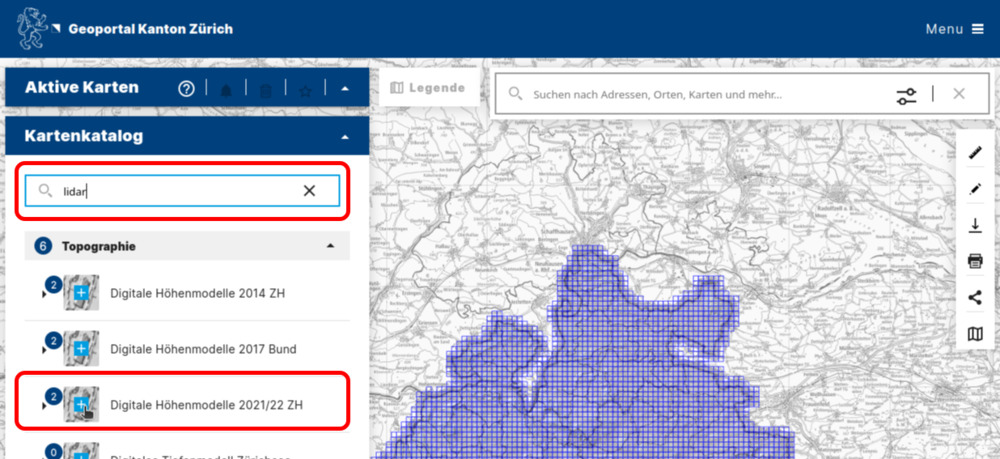
To permanently activate the blue tiling grid (important for selecting data for individual tiles), click on the light blue/white cross as shown in the screenshot.
Clicking on a specific tile should open the sidebar on the right:
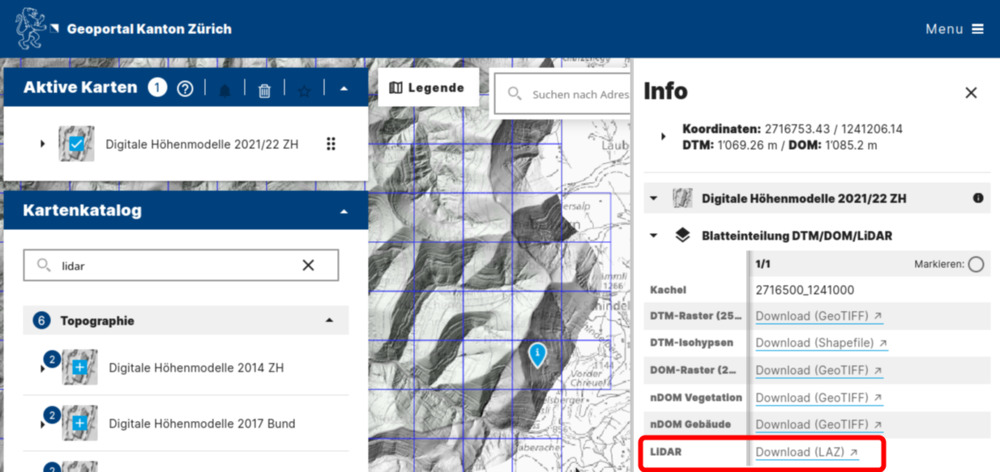
Here we see two important pieces of information:
- The tile id (
2716500_1241000). - The download link. Clicking on Download (LAZ) will automatically start downloading the point cloud data.
- Note that you can also download digital terrain, surface, and normalized surface models (
DTM,DOM,nDOM) in raster format here.